


Please Wait...
flash_on
File Size Optimizer Dimensions
close
Where do the available Dimensions come from?
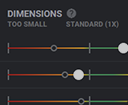
Those are all sizes that are already generated for the used image in the WordPress Media Library AND have the same aspect ratio.
Why are my choices not exactly 1X or 2X?
The File Size Optimizer looks at the required media size throughout all device layouts and in that way evaluates the available Dimensions.
If available, there is always a choice shown that is the closest to 1X or 2X.
If no fitting size is available, you can hover the standard (1X) or retina (2X) lines to get an info on the currently optimal size for your media.
If available, there is always a choice shown that is the closest to 1X or 2X.
If no fitting size is available, you can hover the standard (1X) or retina (2X) lines to get an info on the currently optimal size for your media.
tuneSlider Revolution Block Settingsclose
Module Layout
Insert Module as Pop Up Module
1 Time Per Session
Relating on Pop Up after Time and Scroll Position
Pop Up by Actions
Pop Up's can also be triggered by Layer Actions.
See more details in Pop Up / Modal Documentation
See more details in Pop Up / Modal Documentation
Block Offsets (Module Wrapping Offset)
Block Depth
Pop Up after Time
Pop Up at Scroll Position
Pop Up by Events
i.e.: document.dispatchEvent(new Event(''))
Pop Up on URL Hash
https://yourwebsite.com/yourpage/#
Copyright & Licensing - Slider Revolution Libraryclose
aspect_ratioTemplate
photo_cameraImmagini
filter_dramaObjects
videocamVideos
copyrightSVG
font_downloadIcona
layersLayers
Terms of using Layer Group Objects from the Library
arrow_forward
Templates from the Slider Revolution Library must only be used with a
registered license key on that particular website.
registered license key on that particular website.
arrow_forward
Media assets used in the respective templates, are licensed according to the here mentioned license terms (see list on the left).
arrow_forward
Slider Revolution Add-Ons must only be used with a registered license key on that particular website.
*One License Key / Purchase Code is required for each Website
Terms of using JPG Images from the Library
arrow_forward
The pictures are free for personal and even for commercial use.
arrow_forward
You can modify, copy and distribute the photos. All without asking for permission or setting a link to the source. So, attribution is not required.
arrow_forward
The only restriction is that identifiable people may not appear in a bad light or in a way that they may find offensive, unless they give their consent.
arrow_forward
The CC0 license was released by the non-profit organization Creative Commons (CC). Get more information about Creative Commons images and the license on the official license page.
arrow_forward
Images from Pexels under the license CC0 Creative Commons
Terms of using PNG Objects from the Library
arrow_forward
PNG Objects from the Slider Revolution Library must only be used with a
registered license key on that particular website.
registered license key on that particular website.
arrow_forward
Licenses via extended license and cooperation with author Ceacle
arrow_forward
If you need .psd files for objects, you can purchase it from the original author here
*One License Key / Purchase Code is required for each Website
Terms of using HTML5 Videos from the Library
arrow_forward
The videos are free for personal and even for commercial use.
arrow_forward
You can modify, copy and distribute the videos. All without asking for permission or setting a link to the source. So, attribution is not required.
arrow_forward
The only restriction is that identifiable people may not appear in a bad light or in a way that they may find offensive, unless they give their consent.
arrow_forward
The CC0 license was released by the non-profit organization Creative Commons (CC). Get more information about Creative Commons images and the license on the official license page.
arrow_forward
Videos from Pexels under the license CC0 Creative Commons
Terms of using SVG Objects from the Library
arrow_forward
Usage only allowed within Slider Revolution Plugin
arrow_forward
A variety of sizes and densities can be also downloaded from the git repository , making it even easier for developers to customize, share, and re-use outside of Slider Revolution.
arrow_forward
Licenses via Apache License. Read More at Google Material Design Icons
Terms of using ICON Objects from the Library
arrow_forward
Please check the listed license files for details about how you can use the "FontAwesome" and "Stroke 7 Icon" font sets for commercial projects, open source projects, or really just about whatever you want.
arrow_forward
Please respect all other icon fonts licenses for fonts not included directly into Slider Revolution.
Further License Information
arrow_forward
Font Awesome 4.6.3 by @davegandy - http://fontawesome.io - @fontawesome
License - http://fontawesome.io/license(Font: SIL OFL 1.1, CSS: MIT License)
License - http://fontawesome.io/license(Font: SIL OFL 1.1, CSS: MIT License)
arrow_forward
Stroke 7 Icon Font Set by www.pixeden.com
Get your Freebie Iconset at http://www.pixeden.com/icon-fonts/stroke-7-icon-font-set
Get your Freebie Iconset at http://www.pixeden.com/icon-fonts/stroke-7-icon-font-set
Terms of using Layer Group Objects from the Library
arrow_forward
Layer Group Objects from the Slider Revolution Library must only be used with a
registered license key on that particular website.
registered license key on that particular website.
arrow_forward
Media assets used in the respective Layer Group Objects, are licensed according to the here mentioned license terms (see list on the left).
*One License Key / Purchase Code is required for each Website
infoDecision Modal Title
add_circle_outlineDo It
add_circle_outlineDont Do It
searchPreviewphotoSome Module Titledesktop_windowslaptoptablet_macphone_android
content_pasteCopy Embed Code
closeextensionAddonsclose
refreshCheck for Updates
get_appUpdate All
Slider Revolution Addons
Please select an Addon to start with.
saveSave Configuration
close
Help Us Make Slider Revolution Better!
I agree to share data related to my Slider Revolution usage
with the development team to help improve the plugin.
with the development team to help improve the plugin.
You can always change this agreement with one click in the Global Settings.
close
error_outline
URGENT
Your Slider Revolution License Has Been Deactivated!
block
All of the premium features including templates, media assets,
and add-ons have been removed from your website.
and add-ons have been removed from your website.
We can help you restore everything right now, all you have to do is choose one of
the options below:
the options below:
do_not_touch
Please note you don’t have access to Premium 1-on-1 support
right now ...
right now ...
.. however, as soon as you reactivate your license, our top-rated support team will
ensure that your website is fully functional.
ensure that your website is fully functional.
close
error_outline
There is a problem with some of your
Slider Revolution modules
Slider Revolution modules
These modules are using addons which are deactivated or not installed:
Press the button below to install & activate
all addons required by your modules.
all addons required by your modules.
close
lan
Attention Required:
Some Slider Revolution modules encountered errors during SR7 Engine migration.
Some Slider Revolution modules encountered errors during SR7 Engine migration.
Below is a list of modules that need your attention.
Despite these issues, affected modules will still function using the old data structure.
This may result in reduced performance and lack of future compatibility.
Despite these issues, affected modules will still function using the old data structure.
This may result in reduced performance and lack of future compatibility.
To address these migration issues and leverage the full potential of the SR7 Engine, we recommend following our detailed guide. It provides step-by-step instructions to resolve errors and fully upgrade your modules for improved performance and future-proofing.
Fix Migration Issues
close
Start Using the SR7 "Velocity" Engine for
Future-Proof and Enhanced Performance
Future-Proof and Enhanced Performance
Please check every item on the list in order to unlock
the power of the SR7 Engine:
the power of the SR7 Engine:
check
Yes, I ran a SR7 Engine Pre-Check using the ?srengine=7
URL parameter on every page using Slider Revolution
URL parameter on every page using Slider Revolution
Enable SR7 Engine Now
I'm not Ready, yet
Module General Options
titleTitle
devicesLayout
view_carouselCarousel
messageContent
dnsDefaults
buildGeneral
system_update_altOn Scroll
loopSpinner
extensionAddons
timelineAdvanced
codeCSS/jQuery
picture_in_pictureAs Modal
format_paintSkin
titleModule Naming
content_copyCopy Shortcode
Place the shortcode on the page or post where you want to show this module.
refreshSpinner Settings
picture_in_pictureSlider as Modal
Toggle Document Body Class on Open and Close of the Modal.
content_copyCopy Shortcode
Place the shortcode on the page or post where you want to show this modal.
fullscreenLayout
devicesLayer Area Size
1240
On
1240
1240
1240
tab_unselectedDecrease Module Height
settings_input_componentAdvanced Settings
drag_indicatorOverlay
settings_overscanModule Position within Wrapper
format_color_fillModule Background
filter_hdr
close
styleMedia Library
camera_enhanceObject Library
flip_to_backBorder & Shadow
view_carouselCarousel Layout
local_playAnimation
linear_scaleEffects
arrow_drop_down
insert_commentContent
arrow_drop_down
descriptionPost Selection
arrow_drop_down
add_circlePopular Posts
add_circleRecent Posts
sort_by_alphaSorting & Settings
arrow_drop_down
No further source settings needed. Content is created manually.
labelTypes & Categories
arrow_drop_down
filter_listFilters
arrow_drop_down
sort_by_alphaSorting & Limitations
arrow_drop_down
vpn_keyFlickr Settings
arrow_drop_down
Read here how to receive your Flickr API key
vpn_keyInstagram Settings
arrow_drop_down
person_addConnect an Instagram Account
You will be redirected to Instagram and then back to the editor. Your current settings will be auto saved.
Please check this FAQ on how to generate your Instagram Access Token in Facebook manually.
vpn_keyTwitter Settings
arrow_drop_down
Please register your application with Twitter
to get the right values
to get the right values
vpn_keyFaceBook Settings
arrow_drop_down
person_addConnect Facebook Account
You will be redirected to Facebook and then back to the editor. Current settings will be auto saved.
vpn_keyYouTube Settings
arrow_drop_down
Find information about the YouTube API key here
See how to find the Youtube channel ID here
The “YouTube Stream” content source is used to display a full stream of videos from a channel/playlist.
If you want to display a single youtube video, please select the content source “Default Slider” and add a video layer in the slide editor.
If you want to display a single youtube video, please select the content source “Default Slider” and add a video layer in the slide editor.
vpn_keyVimeo Settings
arrow_drop_down
The “Vimeo Stream” content source is used to display a full stream of videos from a user/album/group/channel.
If you want to display a single vimeo video, please select the content source “Default Slider” and add a video layer in the slide editor.
If you want to display a single vimeo video, please select the content source “Default Slider” and add a video layer in the slide editor.
play_circle_outlineDynamic Viewport Loading
play_circle_outlineSlideshow
filter_1First Slide
phonelink_lockDisable on Mobile
phonelink_offHide Under Browser width...
phonelink_setupMobile Settings
Option is deprecated and will be removed in upcoming updates !
webBrowser behavior
dnsDefault Basics
dnsDefault New Layer Settings
folder_specialScroll Based Features
Parallax
Timeline
Effects
Use Full Screen or Full Width Layout to Use Fixed Scroll.
mouseMouse Interaction
3d_rotation3D Settings
tuneDepths
listUse Default on...
listScroll Effects Default
done_allScroll Effects Settings
ev_stationLoading Type
cachedInternal Cache
Keep disabled if slider has dynamic content, e.g. shortcodes
4kDevice Pixel Ratio
Higher maximum values can have a negative influence on complex canvas animations. Lower values can have a negative influence on image quality on 4k+ devices.
errorFallback Settings
styleMedia Library
codejQuery & OutPut Filters
Navigation Options
timelapseProgress
swap_horizArrows
more_horizBullets
view_columnTabs
filter_framesThumbs
settings_ethernetScrubber
imagePrev Size
pan_toolTouch
keyboardKeyboard
mouseMouse
gamesNav Editor
timelapseProgress Bar
timelapseProgress Bar
swap_horizArrows
- Style
- Visibility
- Left Arrow
- Right Arrow
- Style
- Style on Slide
opacityArrow Type
arrow_backLeft Arrow
arrow_forwardRight Arrow
visibilityVisibility
paletteNavigation Style
paletteGlobal Style Presets
saveLoad
saveSave
deleteDelete
textureOverride Style on Slide
more_horizBullets
- Style
- Visibility
- Position
- Style
- Style
opacityBullets Type
open_withPosition
visibilityBullets Visibility
paletteNavigation Style
paletteGlobal Style Presets
saveLoad
saveSave
deleteDelete
textureOverride Style on Slide
view_columnTabs
- Main Style
- Visibility
- Position
- Size
- Mask
- Wrapper
- Style
- Style
opacityTabs Type
open_withPosition
photo_size_select_largeSize
photo_size_select_largeMask Offset
moreWrapper
visibilityTabs Visibility
paletteStyle Global
paletteGlobal Style Presets
saveLoad
saveSave
deleteDelete
textureOverride Style on Slide
filter_framesThumbs
- Main Style
- Visibility
- Position
- Size
- Mask
- Wrapper
- Style
- Style
opacityThumb Type
open_withPosition
photo_size_select_largeSize
photo_size_select_largeMask Offset
moreWrapper
visibilityThumbs Visibility
paletteStyle Global
paletteGlobal Style Presets
saveLoad
saveSave
deleteDelete
textureOverride Style on Slide
filter_framesScrubber
- Main Style
- Visibility
- Position
opacityScrubber Type
open_withPosition
photo_size_select_largeSize
swap_horizArrow Settings
photo_size_select_largeHandle Settings
moreWrapper
visibilityscrubber Visibility
paletteStyle Global
paletteGlobal Style Presets
saveLoad
saveSave
deleteDelete
textureOverride Style on Slide
imageNav Image Dimensions
imagePreview Image
pan_toolSwipe Settings
pan_toolTouch
keyboardKeyboard Settings
keyboardKeyboard Arrow Navigation
mouseMouse Wheel Navigation
mouseMouse Wheel Navigation
Slide Options
imageBackground
photo_albumThumbnail
movieAnimation
blur_onFilters
timerProgress
access_timePub. Rules
codeTags & Link
albumStatic Layer
leak_addKen Burns
infoParams
repeat_oneLoop Layers
system_update_altOn Scroll
linkSource
link
styleMedia Library
camera_enhanceObject Library
refreshRefresh Source
styleYouTube Poster
styleMedia Library
camera_enhanceObject Library
deleteRemove
styleVimeo Poster
styleMedia Library
camera_enhanceObject Library
deleteRemove
styleMedia Library
camera_enhanceObject Library
linked_cameraGet Start Frame
styleMedia Library
camera_enhanceObject Library
deleteRemove
chrome_reader_modeSettings
chrome_reader_modeOverlay
filter_9_plusOn Scroll Details
On Scroll can be Added per Slider in the General Options
filter_9_plusParallax & 3D Settings
Global Value ! Option to find under Slider Settings - Parallax Tab
system_update_altScroll Effects
blur_onFilters
The Filter may not work with HTML5 Videos in Internet Explorer and Edge Browsers
photo_filterTransition Presets
tuneAdvanced
Timing
In
Out
Filters
3D
speedPerformance
Win performance in complex transitions by reducing the image quality during animations
slow_motion_videoAlternated Transitions
addAdd Transition
photo_filterPan Zoom Settings
Place the shortcode on the page or post where you want to show this module.
rotate_left
albumGlobal Layers
codeSlide HTML Tags
linkLink & Seo
timerProgress
check_circleVisibility
eventPublish
eventWordpress Multi Language
infoParameters
infoLoop All Layer Timeline
photo_albumModule Admin Thumbnail
filter_hdr
folderSelect
updateReset
filter_hdr
folderSelect
updateReset
Editor View
Layer options
Hover View
Layer options
Animation View
Layer options
createContent
paletteStyle
open_withSize & Pos
invert_colorsAdv. Style
play_arrowAnimation
repeat_oneLoop Layer
mouseHover
system_update_altOn Scroll
touch_appActions
photo_size_select_largeVisibility
descriptionAttributes
codeCustom CSS
albumStatic
infoAdd or Select Layer(s)
reorderRow Settings
refreshUpdate Row
titleText/Button Layer Content
Idle
Toggle
subdirectory_arrow_right
appsIcon
local_offerMeta
filter_hdrImage Layer Content
filter_hdr
styleMedia Library
camera_enhanceObject Library
createMedia Content
sync_problem
styleMedia Library
styleMedia Library
camera_enhanceObject Library
sync_problem
filter_hdrMedia Poster
ondemand_videoYouTube Thumb
ondemand_videoVimeo Thumb
linked_cameraGet Start Frame
styleMedia Library
camera_enhanceObject Library
deleteRemove Poster
filter_hdrOverlay
video_libraryAdvanced Media Settings
Off
On
play_arrow
video_libraryArguments
settings_backup_restoreReset
reorderContent Behavior
vertical_align_topAdd LineBreak Before
vertical_align_bottomAdd LineBreak After
codeHTML Tag
swap_horizontal_circleConvert Layer Type
swap_horizontal_circleConvert to Button
swap_horizontal_circleConvert to Text
swap_horizontal_circleConvert to Video
swap_horizontal_circleConvert to Image
albumGlobal Layer Settings
visibilityVisibility
zoom_out_mapStatic Layer Depth
zoom_out_mapPosition & Size
lock_openlock_outline
refresh
lock_openlock_outline
select_allMin/Max Width & Height
photo_size_select_largeResponsive Behavior
refreshInherit All Values from Desktop
refreshReset All Values from Desktop
- Font
- Background
titleLine Height
titleFont & Icon
invert_colorsQuick Style
Moreadd
Lessremove
gestureSVG
color_lensBackground
filter_hdr
close
styleMedia
camera_enhanceObject
more_horizSpacings
lock_openlock_outline
lock_openlock_outline
rounded_cornerBorder
lock_openlock_outline
lock_openlock_outline
rotate_90_degrees_ccwBasic Transforms
filter_noneBox Shadow
format_sizeText Shadow
format_sizeText Stroke
blur_linearBlend Mode
Can not be rendered in Editor. Please preview in Frontend.
rounded_cornerSpike Masks
rounded_cornerSharp Corner Extensions
filter_9_plusOn Scroll Details
On Scroll can be Added per Slider in the General Options
system_update_altParallax & 3D
system_update_altTimeline Scroll Based
system_update_altFilter Effect Scroll Based
descriptionAttributes
codeCustom Inline & Hover CSS
CustomCSS {
}
CustomCSS:hover {
}
Deprecated Function !
Only visible by Rendering. Limited influence on Styled Layers. Custom CSS Inline will be removed in Version 6.2
Only visible by Rendering. Limited influence on Styled Layers. Custom CSS Inline will be removed in Version 6.2
mouse
Hover
mouseAnimation
titleStyle
lock_openlock_outline
lock_openlock_outline
Reset Style
titleSVG Style
blur_linearFilter
linkActions
flash_onKeyframes
visibilitySet as Editor View
delete
timerBasics
tuneAdvanced
Layer
Char
Word
Line
Mask
Color
SFX
auto_awesomeLayer Filter
settings_brightnessLayer Back-Drop Filter
settings_ethernetSlide Direction based Mirroring
settings_ethernetSlide Direction based Mirroring
auto_awesomeChar Filter
settings_ethernetSlide Direction based Mirroring
auto_awesomeWord Filter
settings_ethernetSlide Direction based Mirroring
auto_awesomeLine Filter
settings_ethernetSlide Direction based Mirroring
loopLayer Loop Animations
Timeline
Effects
repeat_oneLayer Timeline Loop
Restriction !
Children Layers of Group, Column and Row will simply restart, without animation from the last loop Frame to first loop frame, independent of the Animate to "start" in Loop enabled option.
Children Layers of Group, Column and Row will simply restart, without animation from the last loop Frame to first loop frame, independent of the Animate to "start" in Loop enabled option.
mouseLayer Looping Effects
LOOPLoad Loop Templatearrow_drop_down
Move
Scale
Rotate
Filter
savePresets
format_paintGlobal Color Skinclose
SKIN TITLE
SKIN COLOR
color_lensAdd Skin
new_releasesModule Creation Guideclose
Welcome to Slider Revolution 6
This Guide will help you with the basic configuration *
of your Slider Revolution 6 Module.
of your Slider Revolution 6 Module.
* All settings adjusted by the guide can be changed later.
Click the Help Icon to find options & documentation
Click the Help Icon to find options & documentation
What type of module would you like to create?
Slider
A Slider consists of multiple Slides.
Each Slide has its own content and can be
navigated to with various optional
navigation elements.
Each Slide has its own content and can be
navigated to with various optional
navigation elements.
Scene
A Scene is essentially a Slider with a single
Slide and no navigation elements.
Best used for content modules that require
no additional depth.
Slide and no navigation elements.
Best used for content modules that require
no additional depth.
Carousel
A Carousel is a Slider with multiple Slides
visible at the same time.
There are lots of options to customize the Carousel.
visible at the same time.
There are lots of options to customize the Carousel.
Module Type
1/3
What size should the module have?
Auto
The module dimensions will automatically
adjust to the surrounding container width,
keeping its aspect ratio.
adjust to the surrounding container width,
keeping its aspect ratio.
Full-Width
The module will always span across the
full-width of the web-page. The height can
be flexible depending on other settings.
full-width of the web-page. The height can
be flexible depending on other settings.
Full-Screen
The module will always fit the full area
within the web-page.
within the web-page.
Module Dimensions
2/3
How would you like your content to resize?
Classic, Linear Resizing
Layers will resize in a linear fashion, as the module size changes. You only need to configure one screen size.
Intelligent Inheriting
Four custom device sizes are activated and a layers size / position is automatically calculated from its desktop device size. You can make individual adjustments to layers in all device sizes.
Manual Custom Sizes
Four custom device sizes are activated and layers need to be manually adjusted to their respective device sizes.
Responisvity
3/3
Template Editing Guideclose
Thank You For Installing The
The guide will teach you how to use all the editor features necessary, to customize the template

Learn How To Edit This Template
edit
Edit Content

settings
Template Features
touch_app
User Interactions
play_arrow
Animations

display_settings
Optimizing & Publishing
extension
AddOns


chat
How to Create an Awesome Product Slider with a Built-in Variant Switcher[Tutorial]
Module Editing Guideclose
Welcome To The Slider Revolution Visual Editor
The guide will teach you the basics of using the editor to build a new module from scratch.
What Would You Like To Learn About?
edit
Adding Content
settings
Module General Options
touch_app
User Interactions
play_arrow
Animations
display_settings
Optimizing & Publishing
extension
AddOns

download
Load A Template From The Library
import_exportLayer Importclose
import_exportImport Selected Layers
gamesNavigation Editorclose
saveSave Navigation
swap_horizArrows
more_horizBullets
view_columnTabs
filter_framesThumbs
settings_ethernetScrubber
Factory Skins
Custom
addAdd New Navigation
more_horiz
more_vert
CSS
Markup
Markup Meta
Slide Title
Slide Description
Parameter 1
Parameter 2
Parameter 3
Parameter 4
Parameter 5
Parameter 6
Parameter 7
Parameter 8
Parameter 9
Parameter 10
Meta Values
addAdd New Meta
Meta Config
close
done
codeCSS/JS Editor
CUSTOM CSS
CUSTOM JS SR6
CUSTOM JS SR7
A
P
I
keyboard_arrow_rightclose
P
I
codeMethods
add
add
add
add
add
add
add
add
add
add
add
add
add
add
add
add
add
add
add
add
add
add
add
add
add
add
add
add
add
add
av_timerEvents
add
add
add
add
add
add
add
add
add
add
add
add
add
add
add
add
add
add
add
add
add
add
add
add
local_offerMetadata
close
Basic
Post
WooCommerce
Events
Social
copyrightBasic Metasarrow_drop_down
bookmarkCurrent Slide Index
{{current_slide_index}}
03
bookmarkNumber of Slides in Module
{{total_slide_count}}
21
bookmarkLink to current page
{{current_page_link}}
http://yoursite.com/page
bookmarkLink to WP Home Page
{{home_url}}
http://yoursite.com/home
descriptionPost Basicsarrow_drop_down
descriptionPost ID
{{id}}
Post ID
descriptionAny custom meta tag
{{meta:somemegatag}}
Custom Meta
descriptionPost Title
{{title}}
Title
descriptionPost title limit by words
{{title:words:5}}
Lorem ipsum dolor sit amet
descriptionPost title limit by chars
{{title:chars:5}}
Lorem ipsum dolor sit amet
descriptionPost Excerpt
{{excerpt}}
Excerpt ipsum dolor sit amet, consetetur sadipscing elitr sed diam nonumy.
descriptionPost excerpt limit by words
{{excerpt:words:10}}
Lorem ipsum dolor sit
descriptionPost excerpt limit by chars
{{excerpt:chars:10}}
Lorem ipsum dolor sit
descriptionPost Alias
{{alias}}
Post Alias
descriptionPost Content
{{content}}
Lorem ipsum dolor sit amet, consetetur sadipscing elitr, sed diam nonumy eirmod tempor invidunt.
descriptionPost content limit by words
{{content:words:10}}
Lorem ipsum dolor sit amet, consetetur sadipscing elitr, sed diam nonumy eirmod tempor invidunt.
descriptionPost content limit by chars
{{content:chars:10}}
Lorem ipsum dolor sit amet, consetetur sadipscing elitr, sed diam nonumy eirmod tempor invidunt.
infoPost Detailsarrow_drop_down
infoThe link to the post
{{link}}
http://yoursite.com/post
infoDate created
{{date}}
05.03.2018
infoDate modified
{{date_modified}}
04.03.2018
infoAuthor name
{{author_name}}
John Doe
infoAuthor Avatar URL(size in px)
{{author_avatar:80px}}
http://yoursite/media/avatar.jpg
infoAuthor Website
{{author_website}}
http://yoursite/user/page
infoAuthor Posts Page
{{author_posts}}
http://yoursite/user/post
categoryPost Categories, Tags and Commentsarrow_drop_down
categoryNumber of comments
{{num_comments}}
20
categoryList of categories with links
{{catlist}}
Category1, Category2, Category3
categoryList of categories without links
{{catlist_raw}}
Category1, Category2, Category3
categoryList of tags with links
{{taglist}}
Tag1, Tag2, Tag3
shopping_cartWooCommerce Basicsarrow_drop_down
categoryCategories
{{wc_categories}}
WC Category1, WC Category2
categoryTags
{{wc_tags}}
WC Tag 1, WC Tag 2, WC Tag 3
categoryAdd to Cart URL
{{wc_add_to_cart}}
http://yoursite.com/addtocart.php
categoryAdd to Cart Button
{{wc_add_to_cart_button}}
Add To Cart
shopping_cartWooCommerce Pricesarrow_drop_down
attach_moneyFull Price
{{wc_full_price}}
$9.99
attach_moneySingle Price
{{wc_price}}
$9.99
attach_moneySingle Price without currency
{{wc_price_no_cur}}
9.99
shopping_cartWooCommerce Stockarrow_drop_down
dashboardSKU
{{wc_sku}}
457819
dashboardIn Stock
{{wc_stock}}
5
dashboardStock Quantity
{{wc_stock_quantity}}
5
shopping_cartWooCommerce Ratingsarrow_drop_down
star_halfNumber of Ratings
{{wc_rating_count}}
47
star_halfNumber of Reviews
{{wc_review_count}}
13
star_halfText Rating
{{wc_rating}}
9
star_halfStar Rating
{{wc_star_rating}}
38
eventEvent Basicsarrow_drop_down
eventEvent start date
{{event_start_date}}
14.09.2019
eventEvent end date
{{event_end_date}}
17.09.2019
eventEvent start time
{{event_start_time}}
21:00
eventEvent end time
{{event_end_time}}
14:00
eventEvent ID
{{event_id}}
EQH-1879
my_locationEvent Locationarrow_drop_down
location_onEvent location name
{{event_location_name}}
Music Hall
location_onEvent location slug
{{event_location_slug}}
Concert
location_onEvent location address
{{event_location_address}}
East 32th Street between Park & Lexington Avn
location_onEvent location town
{{event_location_town}}
Los Angeles
location_onEvent location state
{{event_location_state}}
US
location_onEvent location postcode
{{event_location_postcode}}
EX 87 TNT
location_onEvent location region
{{event_location_region}}
Orange Country
location_onEvent location country
{{event_location_country}}
USA
publicSocial Basics (Flickr, Instagram, Twitter, Facebook, YouTube)arrow_drop_down
publicPost Title
{{title}}
Title
publicPost content
{{content}}
Lorem ipsum dolor sit amet, consetetur sadipscing elitr, sed diam nonumy eirmod tempor invidunt.
publicPost content limit by words
{{content:words:10}}
Lorem ipsum dolor sit amet, consetetur sadipscing elitr, sed diam nonumy eirmod tempor invidunt.
publicPost content limit by chars
{{content:chars:10}}
Lorem ipsum dolor sit amet, consetetur sadipscing elitr, sed diam nonumy eirmod tempor invidunt.
publicThe link to the post
{{link}}
http://yoursite.com/post
publicDate created
{{date}}
08.03.2018
publicUsername
{{author_name}}
John Doe
Flickr Extrasarrow_drop_down
Date created
{{date}}
08.03.2018
Views
{{views}}
24
Twitter Extrasarrow_drop_down
Date Published
{{date_published}}
08.03.2018
Retweet Count
{{retweet_count}}
19824
Favorite Count
{{favorite_count}}
1249
Facebook Extrasarrow_drop_down
Date Published
{{date_published}}
08.03.2018
Date Modified
{{date_modified}}
18.08.2018
Number of Likes
{{likes}}
212
YouTube Extrasarrow_drop_down
Excerpt
{{excerpt}}
Excerpt ipsum dolor sit amet, consetetur sadipscing elitr sed diam nonumy.
Date Published
{{date_published}}
08.03.2018
Vimeo Extrasarrow_drop_down
Date Published
{{date_published}}
08.03.2018
Number of Likes
{{likes}}
321
Number of Views
{{views}}
1786
Number of Comments
{{num_comments}}
124
touch_appActionsclose
add_circle_outlineAdd Action to ""
infoNo Action Selected
more_vert
Slides
view_moduleBack
burst_modeSlides
addAdd Slide(s)
crop_squareBlank slide
appsBulk Slide
redoImport from Modules
folderImport from Template
library_addAdd Layer
titleText
font_downloadQuick Style Headline
titleQuick Style Content
filter_hdrImage
system_update_altWordPress Library
styleObject Library
flip_to_backEmpty Placeholder
radio_button_checkedButton
crop_landscapeShape
live_tvVideo
system_update_altWordPress Library
styleObject Library
flip_to_backEmpty Placeholder
audiotrackAudio
filter_dramaIcon / SVG
reorderRow
format_shapesGroup
library_booksLayer Library
redoImport Layer
do_not_disturb_alt
do_not_disturb_altNo Layers Selected
content_copy
content_copyDuplicatectrlJ
content_pasteCopyctrlC
file_downloadPastectrlV
pending_actionsCopy to ClipboardAltShiftC
content_paste_goPaste from ClipboardAltShiftV
delete
lock_openlock_outline
radio_button_checkedLock/Unlock Selected
lock_openUnlock All
visibility_offvisibility
border_allborder_clearHide Highlight BoxesShow Highlight Boxes
radio_button_checkedShow/Hide Selected
visibilitySet All Visible
arrow_drop_down
arrow_drop_up
burst_mode
edit
content_copy
delete
desktop_windows
unfold_more1920pxunfold_more1920px
help_outline
- text_snippetTemplate Editing Guide
- text_snippetModule Creation Guide
- live_help Help Mode Tooltips
- forumSubmit A Support Ticket
search
100%
near_me
near_meSingle Select
near_meaddAdd to Selectionctrl
flip_to_backDrag to Selectshift
replay
undoUndoctrlZ
redoRedoctrlY
exit_to_appOpen Document
desktop_windows
desktop_windowsDesktop
laptopNotebook
tablet_macTablet
phone_androidMobile
settings
gamepad
burst_mode
layers
Editor View
Layer options
flash_onOptimize File Sizes
saveSave
searchPreview
close
folder_open
close
border_vertical
close
update
close
shutter_speed
play_arrow
00:00:00
00:00:00
EDITOR
00:00:00
00:00:00
00:00:00
00:00:00
00:00:00
00:00:00
panorama
Slide BG Animation
panorama
Global Layers Timeline
The Current Size is set to "Auto Size". Do you want to continue with Custom Size?
close
You can always re-open the Template Editing Guide
the Module Creation Guide
here!
Don't want the guide to open automatically?
Go to settings
Global Settings